Start with a PDF
Quire finds the printed area, trims the old margins, and fits pages at a consistent scale. Long PDFs can become separate volumes at bookmarks.
For documents with an existing page design.
Turn a PDF or EPUB into a book you can print at home and bind by hand.
Quire takes care of the page order, the printer settings, and the cover. You make it a book.
Get Quire for Windowsv1.2.2 snapshot · Windows x64 · Public download
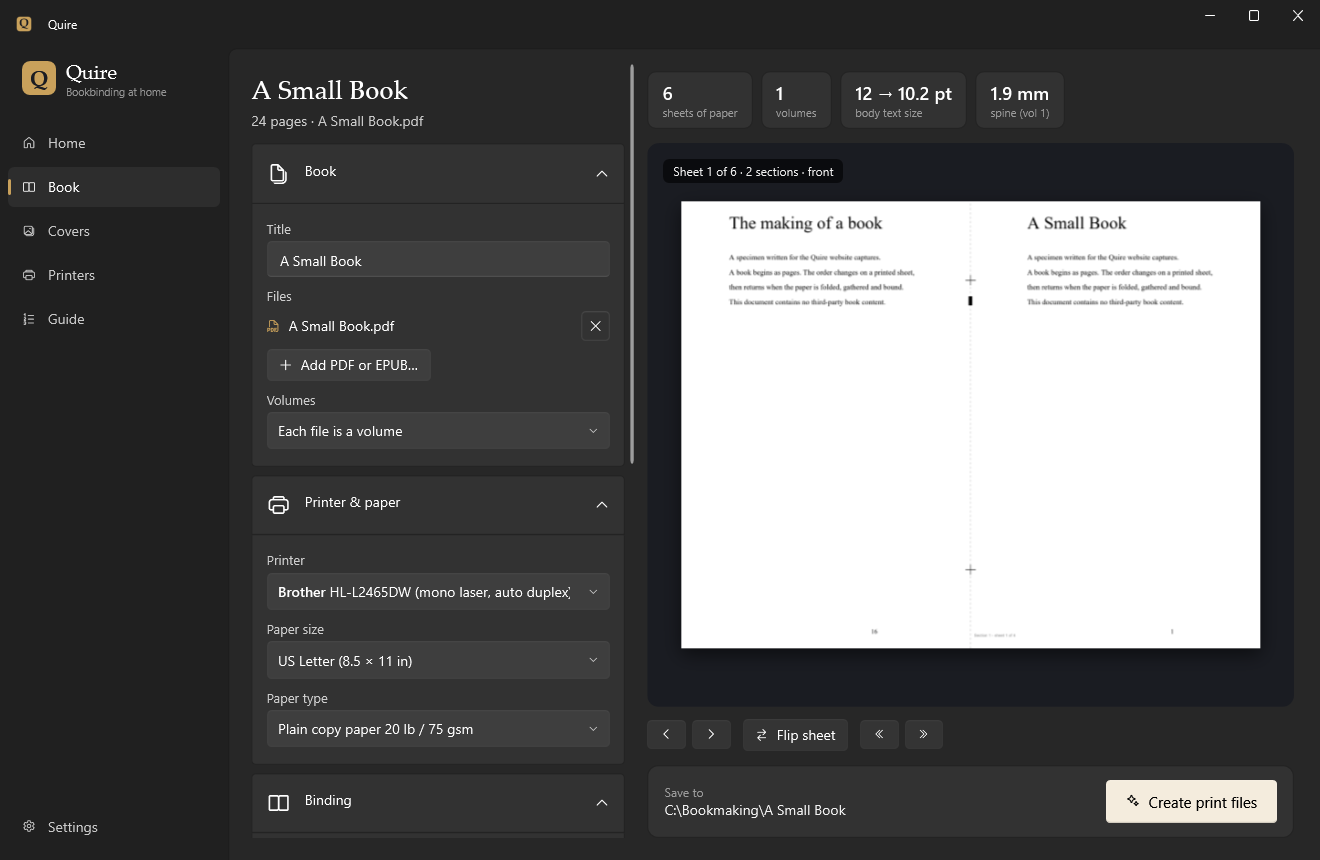
A book is more than pages in order. Quire arranges them for the way you’ll print, fold, and bind them.
Open a PDF or EPUB. Fit an existing layout to your paper, or typeset an EPUB for the page you want.
Pick your paper, printer, and binding. Preview both sides of every imposed sheet before printing.
Create print files, prepare a fitted cover, and follow the guide for your chosen construction.
The last page beside the first. The second beside the second-to-last. Once the sheets are folded together, everything finds its place.
That arrangement is called imposition. Quire plans it for the binding you choose.
Learn to check a sheetA 16-page booklet, laid flat
Sheet 1, front: page 16 on the left, page 1 on the right.
Illustrative left-to-right saddle-stitched booklet. Other bindings use different layouts.
Quire finds the printed area, trims the old margins, and fits pages at a consistent scale. Long PDFs can become separate volumes at bookmarks.
For documents with an existing page design.
Typeset for your chosen page: justified text, English hyphenation, running heads, and chapter openings. Divide volumes at chapter boundaries by thickness.
Requires Microsoft Edge WebView2.
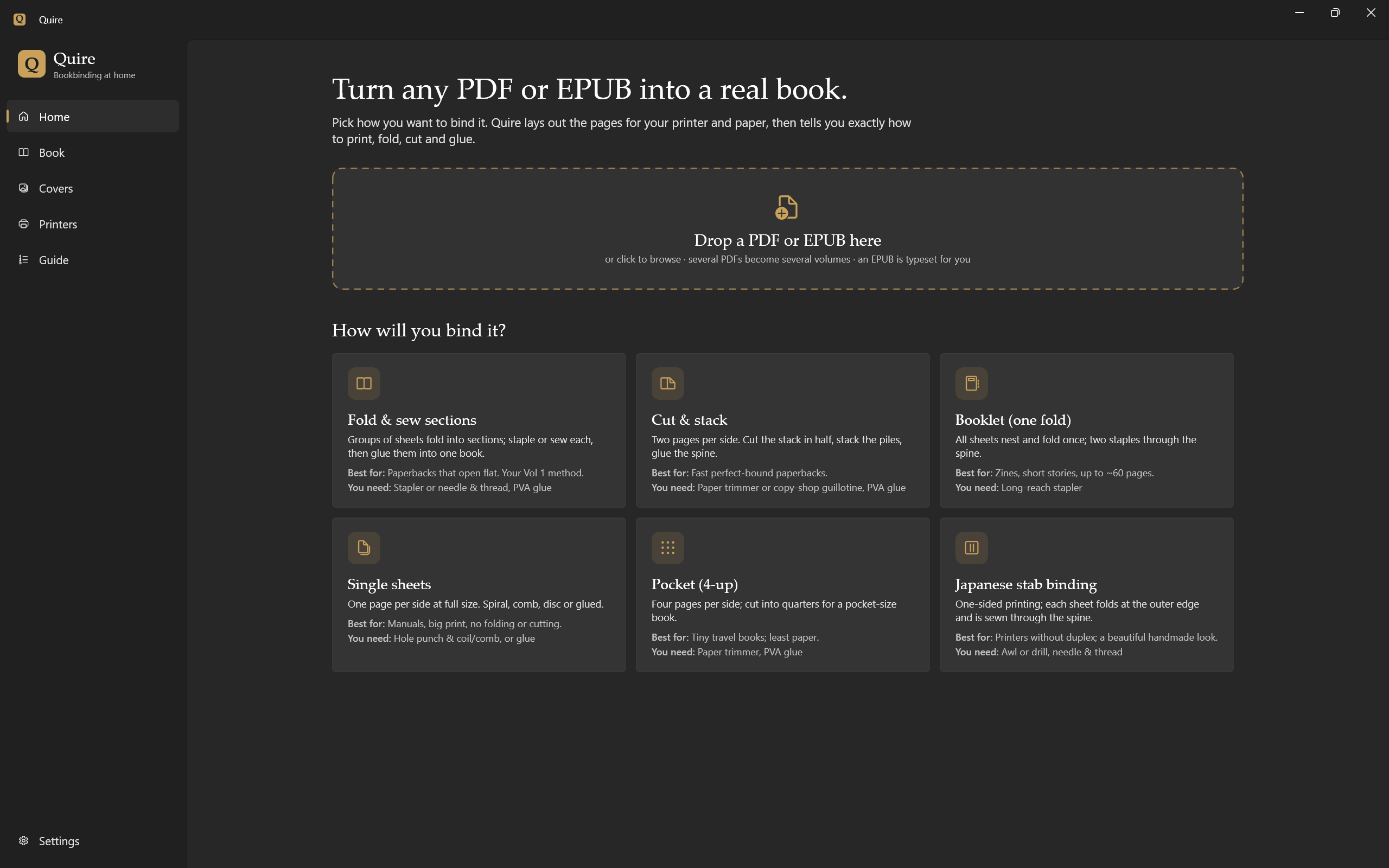
Sew it, staple it, stack it. Choose the construction that suits the book you want to make. Right-to-left books are mirrored for their reading direction.
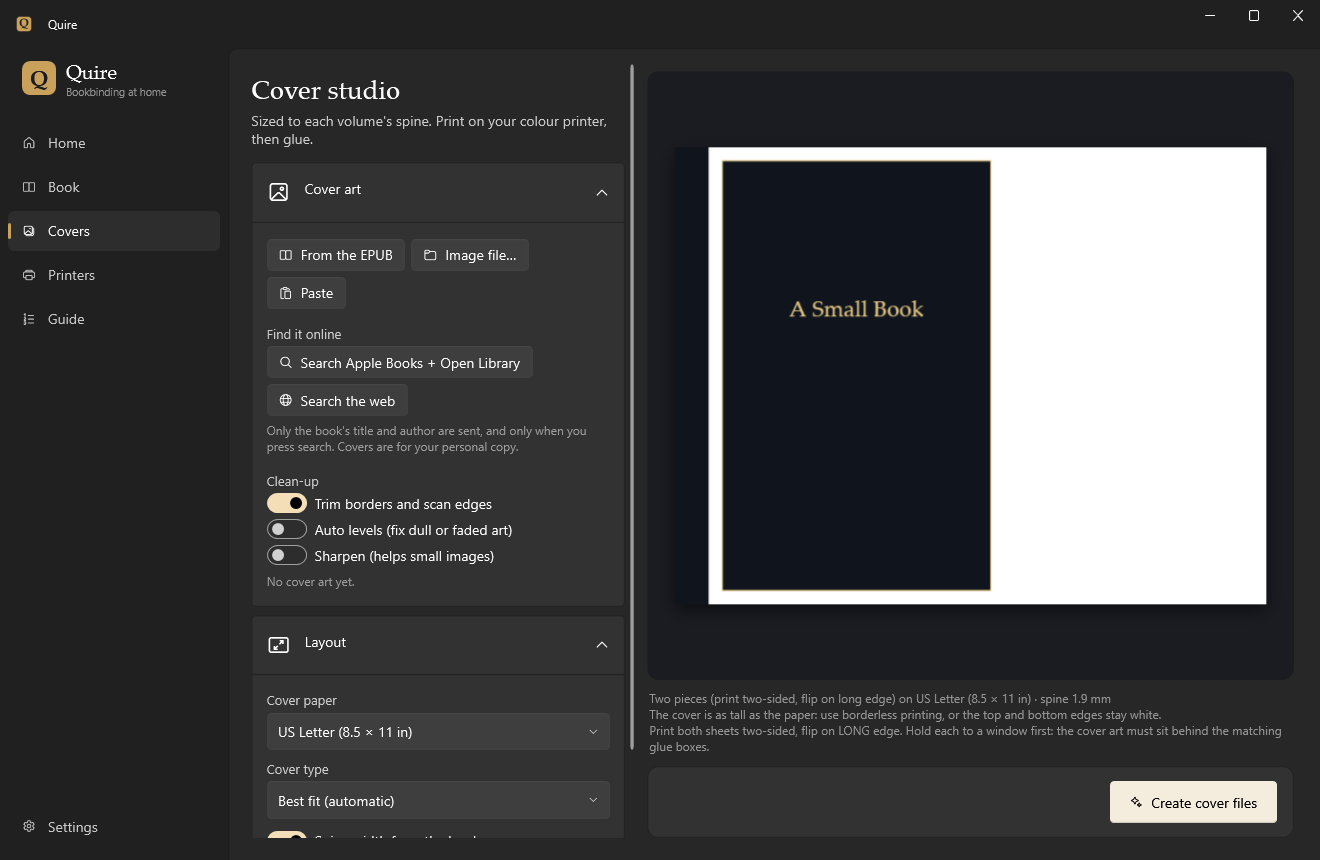
Cover Studio brings the outside into the same workflow. Start from an EPUB cover, an image, or your clipboard, then prepare a cover around the size of your book.
Choose a one-piece wrap, a two-piece cover with a glue map, or front and back panels. Quire sizes the spine for each volume and checks image resolution for print.
Quire reads the options exposed by your Windows driver, checks the job, and sets paper, colour, and the duplex flip edge when printing.
Use the one-sheet calibration to measure scale, unprintable edges, and front-to-back alignment. Then rehearse with a practice book of numbered pages.
Follow printer-specific steps for folding, cutting, stapling, sewing, and gluing. Check a small sample before committing a full book.
Driver job acceptance has been tested. Physical print quality, duplex alignment, and finished binding results remain unverified.
Prepare your first printQuire 1.2.2 snapshot for Windows 10 / Windows 11 x64.
Download for WindowsRelease v1.2.2: download identity verified 2026-11-16. The Book, Cover Studio and Guide captures remain from v1.0.0; they do not qualify this release’s behavior. The source repository remains private.
Public download. Single self-contained executable. No installer. Source repository is private.
Compare this SHA-256 with the executable you receive from the release. A matching checksum confirms the file matches the reviewed asset. The verified v1.2.2 executable is not Authenticode-signed.
fdb426bf72502e4ce1566fd0fd3be7db55888b0df212f4a736c9c807be407d6aPowerShell:
Get-FileHash .\Quire.exe -Algorithm SHA25678,102,766 bytes. Snapshot verified 2026-11-16. Release details.